The Amazon Appeal Process Explained: What Actually Happens After You Hit Submit
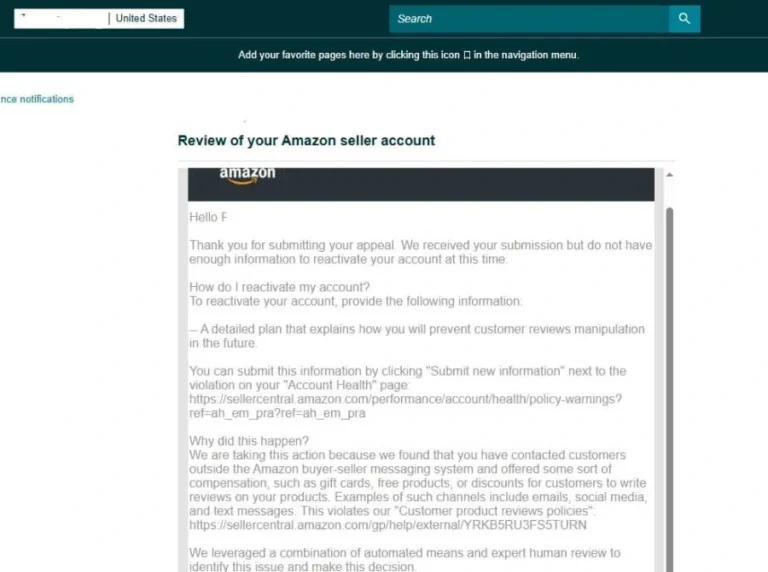
The amazon appeal process begins the moment you submit your appeal — it enters a queue reviewed by Seller Performance associates. Once you submit an Amazon appeal, it enters a queue reviewed by Seller Performance associates who compare your Plan of Action against the specific policy violation on file — not a general impression of your account. Understanding that queue, and what happens at each stage, is the difference between guessing at timelines and knowing what to expect.
Stage 1: Automated Intake
Your submission first passes through an automated check that confirms the case is complete — order IDs present, POA text within length limits, required fields filled. This stage rejects almost instantly if something’s missing, which is why an appeal that “disappears” with no response for hours is usually still sitting in a formatting queue, not under human review yet.
Stage 2: Human Review
A Seller Performance associate reads the notice you’re responding to alongside your POA. They’re checking for internal consistency: does your stated root cause match the order-level data Amazon already has? Does your evidence date to before the suspension, not after? This is the stage where generic appeals fail fastest — an associate handling dozens of cases a day can spot templated language within the first paragraph.
Stage 3: Decision or Escalation
Straightforward cases get a decision here — approved, rejected, or a request for more specific information. Complex cases (linked accounts, repeated violations, high-value ASIN suspensions) often escalate to a senior reviewer or a specialized team, which is why some appeals take days longer with no visible update in between.
Where Cases Actually Get Stuck
- Incomplete evidence chains — a supplier invoice without a matching shipping record, or vice versa.
- Root cause mismatch — explaining a listing error when the notice actually cites an authenticity concern.
- Vague prevention plans — “we will monitor more closely” doesn’t describe an actual process change.
- Multiple open cases — appealing a related but separate issue in a new case can confuse which decision applies to what.
Realistic Timelines by Case Type
Section 3 (authenticity, IP, safety) cases typically take longer because they involve manual investigation of the underlying claim, sometimes contacting the rights owner. Performance-based deactivations (ODR, late shipment rate) usually move faster since the metrics are already in Amazon’s system. Linked-account suspensions are the slowest category, often taking two to four weeks, because they require cross-referencing account signals that aren’t visible to the seller.
Quick Answers
Who actually reads Amazon appeals?
Trained Seller Performance associates, with complex or repeated cases escalating to senior reviewers or specialized policy teams — there’s no fully automated approval for suspension appeals.
Why does my case status show no update for days?
Silence usually means the case has escalated to a more specialized queue rather than being ignored — this is common for linked-account and high-risk ASIN cases.
Does submitting extra documents speed things up?
Only if it’s directly relevant to the cited violation — unrelated documents can add review time rather than reduce it, since the associate still has to determine what’s relevant.
Knowing the process doesn’t shortcut it, but it does tell you when to wait and when a case genuinely needs escalation. Get a free case review to find out which stage your case is
realistically at.
How to Move Through the Amazon Appeal Process
In the amazon appeal process, you control the quality of your plan of action, the completeness of your evidence, and the timing of your follow-ups. You do not control the queue order or which associate reviews your case. The amazon appeal process rewards complete submissions: a well-organized appeal with labeled evidence usually gets a clearer answer than a long letter with scattered attachments.
A useful amazon appeal process follows four steps: read the notice, build the plan of action, submit once, and wait. Follow up only when you have genuinely new information to add, and keep each follow-up short and tied to the case record. Submitting duplicate cases for the same issue usually creates confusion rather than speed.
If your appeal is denied, read the denial for the specific gap it names, then fix that gap before you resubmit. An amazon appeal process denial usually tells you what was missing, even when the wording is brief. Our post on the Amazon appeal email covers follow-up timing, and how to write an Amazon appeal letter covers the letter format. Check your case status in Amazon Seller Central before you act. If the denial is unclear, get a free case review before resubmitting.
Frequently Asked Questions
How long does the process take?
It varies by case type. The amazon appeal process can take days for a simple case and longer for a complex one, and no fixed timeline applies to every case. Watch your case thread for updates rather than relying on a generic estimate.
Can I check my case status?
Yes, in the case thread in Seller Central. The amazon appeal process does not always show intermediate updates, so silence does not mean the case is ignored. Check the thread regularly and respond promptly if Amazon asks for more information.
What if my appeal is denied?
Read the denial for the specific gap it names. The amazon appeal process allows a corrected resubmission when the gap is fixed with new evidence. Do not resubmit the same appeal unchanged and expect a different result.
Does following up speed things up?
Only when there is new information to add. The amazon appeal process is not sped up by repeated identical follow-ups, which usually add noise to the case record. Follow up once, with something new, and then wait.