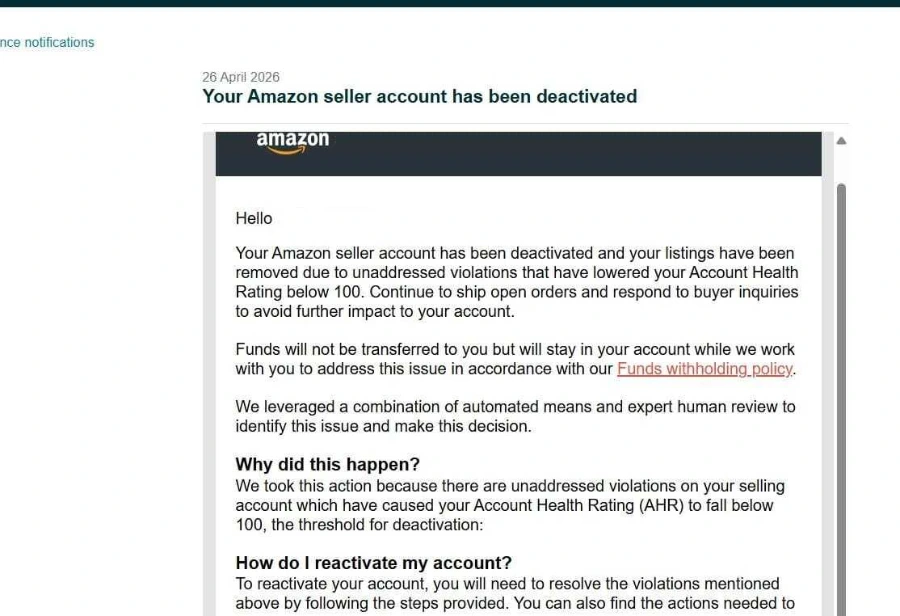
Amazon Business License and Document Verification Appeal: Getting Rejected Documents Approved
An amazon business license verification appeal starts with understanding why Amazon rejected your documents. Document rejections are almost always about format, not eligibility — Amazon’s automated document scanner rejects blurry scans, cropped edges, expired dates, or a business name that doesn’t match your Seller Central account exactly, far more often than it rejects a legitimate business.
The Most Common Rejection Reasons
- File resolution too low to read text clearly
- Business name mismatch between the document and account registration
- Document older than Amazon’s accepted validity window
Before You Resubmit
Scan at full resolution in PDF where possible, confirm every field matches your account exactly (including punctuation and suite numbers), and submit only the document Amazon actually requested — extra unrelated files can slow review down.
Quick Answers
How many times can I resubmit documents?
There’s no hard limit, but repeated rejections on the same document type can trigger a manual review that takes longer — getting it right the first time matters.
Not sure which category your case falls into? Get a free case review and we’ll map the
fastest path back to selling.
How to Strengthen an Amazon Business License Verification Appeal
In an amazon business license verification appeal, most document rejections come down to a mismatch between what you uploaded and what Amazon expects to see. Before you resubmit, compare every field on your document with your account details in Amazon Seller Central: the legal business name, the registered address, and the document date must all line up exactly. Scan at full resolution and upload a clean PDF where possible, so the automated scanner can read every line without guessing.
A clear amazon business license verification appeal follows four steps: identify the rejection reason, fix the document, match every field, and list your attachments. In your appeal, name the document type, explain what was wrong with the first submission, describe what you corrected, and list each file you are attaching. Keep the tone factual and avoid resubmitting the same file unchanged, since an unchanged file usually fails again for the same reason.
If the rejection repeats in an amazon business license verification appeal, check whether the problem is the document itself or the account details it must match. A legal name change, a moved office, or an expired license each needs its own supporting evidence. The Amazon appeal process explains how reviews move from automated checks to manual review, and our complete guide to every suspension type covers document cases alongside other enforcement types. If you are unsure which document Amazon actually wants, get a free case review before uploading again.
Frequently Asked Questions
Can I use a different document type?
Use the document type Amazon asked for whenever you have it. If you genuinely do not have that document, explain the situation plainly and offer the closest valid alternative with evidence that it proves the same facts. Do not submit an unrelated document and hope it passes.
How long does document verification take?
It varies. An amazon business license verification appeal can move quickly when the new file passes the automated checks, while cases that need manual review take longer. Wait for a response before resubmitting, and check Seller Central for any new document requests in the meantime.
What if my business name changed?
Provide evidence of the legal name change and make sure your account details reflect the current name before you upload the new document. A document in an old name that does not match the account is one of the most common reasons verification fails.
Should I resubmit the same file?
No. If a file was rejected for quality or mismatch, an amazon business license verification appeal that resubmits the identical file usually fails again for the same reason. Fix the scan, the field mismatch, or the document itself first, then submit the corrected version.